Stop hunting for files. Start the work.
Kepler Tracker is a visual task board for work and life. Each task keeps the folders, files, links and emails it needs, and Start work opens them all at once, so you spend your time doing, not digging.
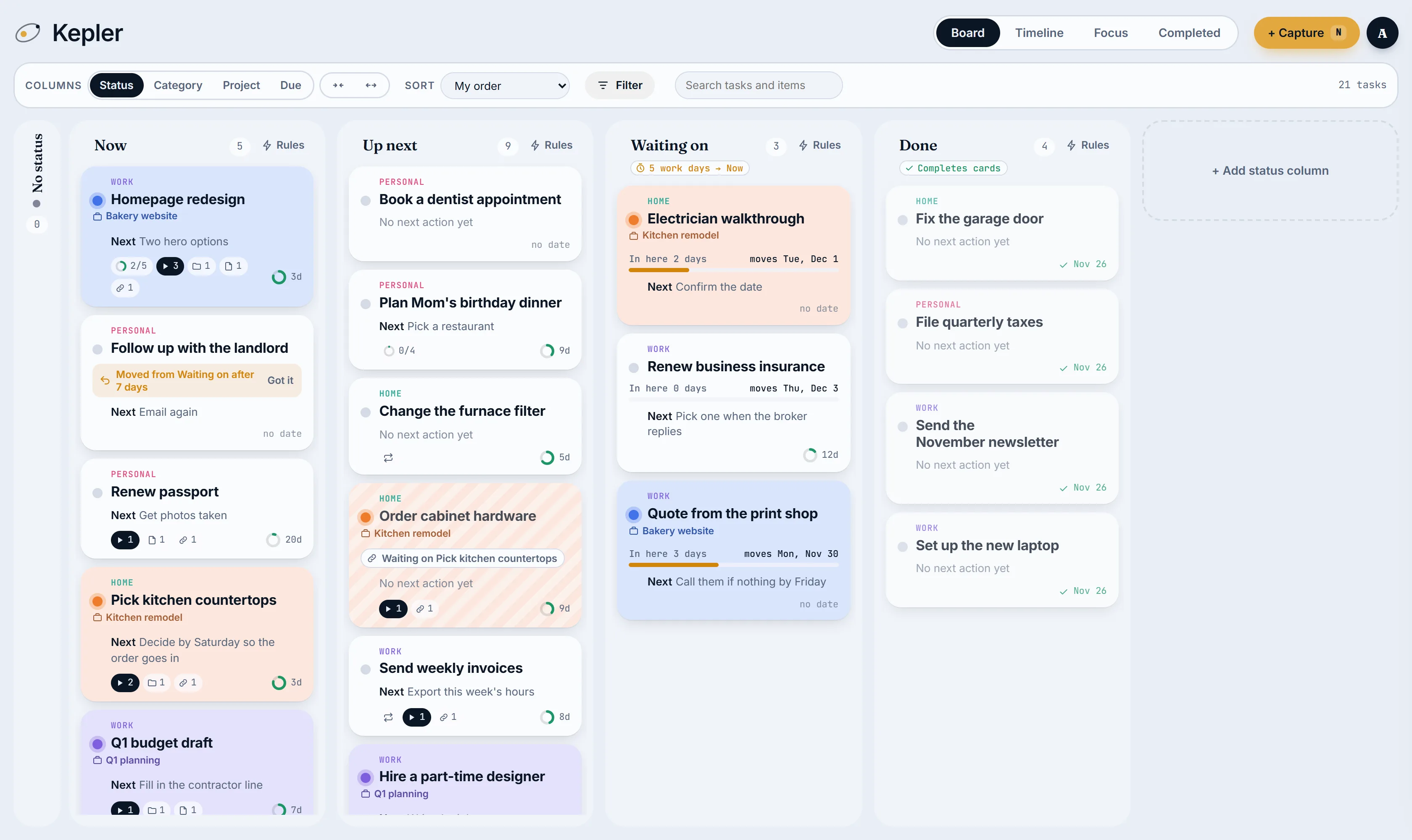
Every task comes with a pile of things.
The client folder, the quote, the spreadsheet, three browser tabs. Most task apps track the task. You still have to dig up the pile.
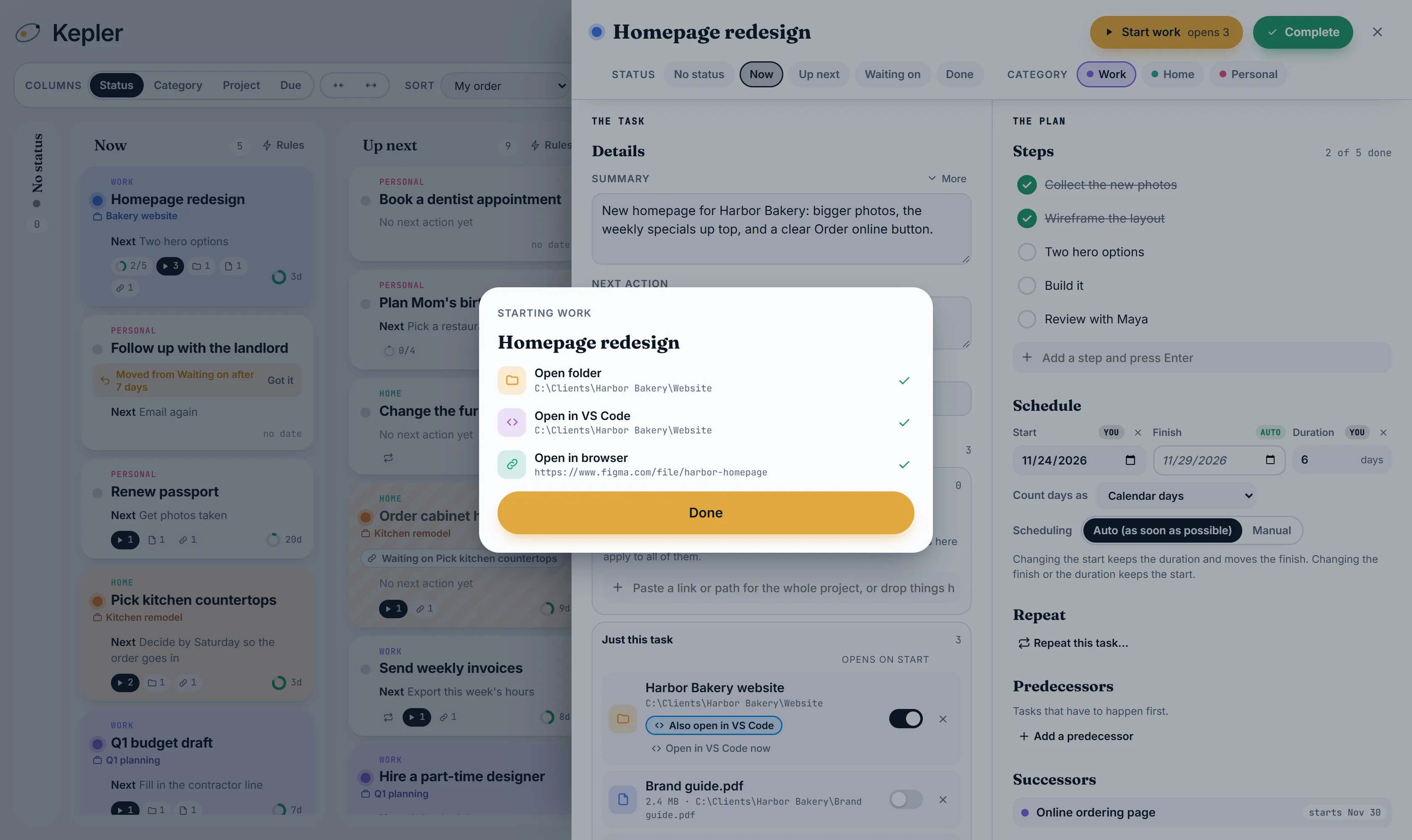
One click opens everything the task needs.
Attach folders, files, links, Outlook emails and programs to a task. Press Start work and Kepler Tracker opens all of them: the project folder, the spreadsheet, the browser tabs, even the code editor.
- Folders open in File Explorer, or in VS Code.
- Put the project folder on a project once, and every task in it opens it too.
- The first time something opens, you confirm it. Nothing opens that you didn't expect.
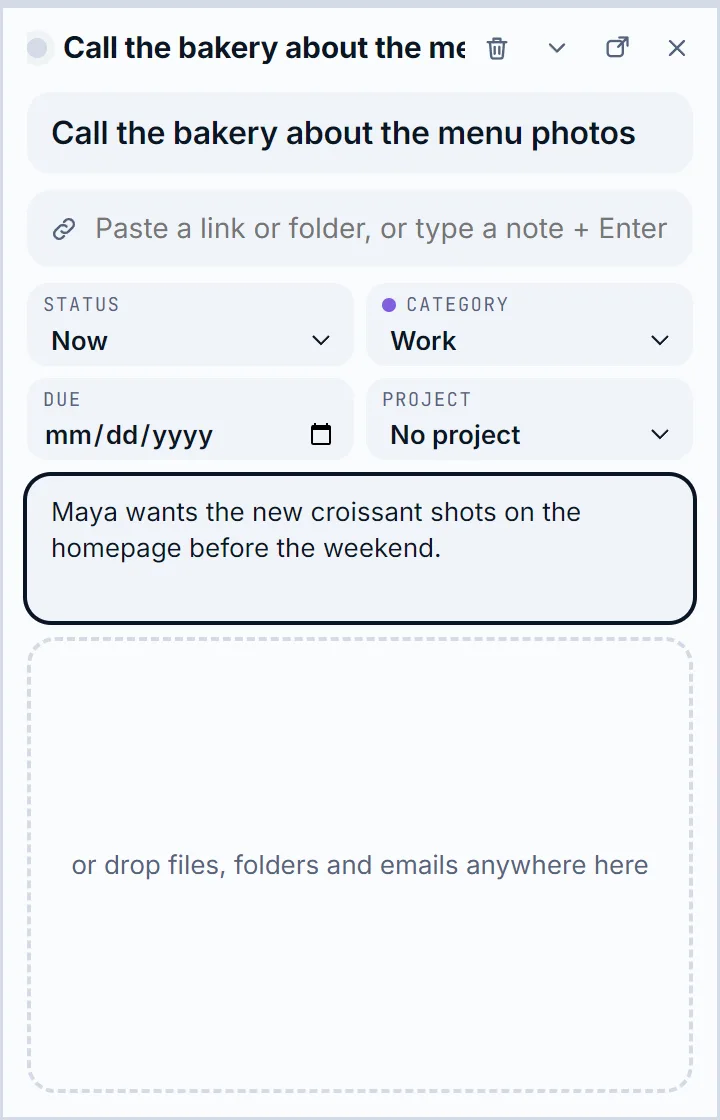
Get it out of your head in seconds.
Press Alt+` (the key under Esc) anywhere in Windows. A small quick window opens beside your mouse. Type a name, paste a link or a folder path, drop a file. Close it and you're back where you were.
- Paste a link or folder path onto the board and it becomes a task.
- Drag files, folders and Outlook emails onto the board, a card or a column.
- The shortcut is yours to change.
The same work, three ways.
A board for the big picture, a timeline for dates and what depends on what, and Focus for one task at a time.
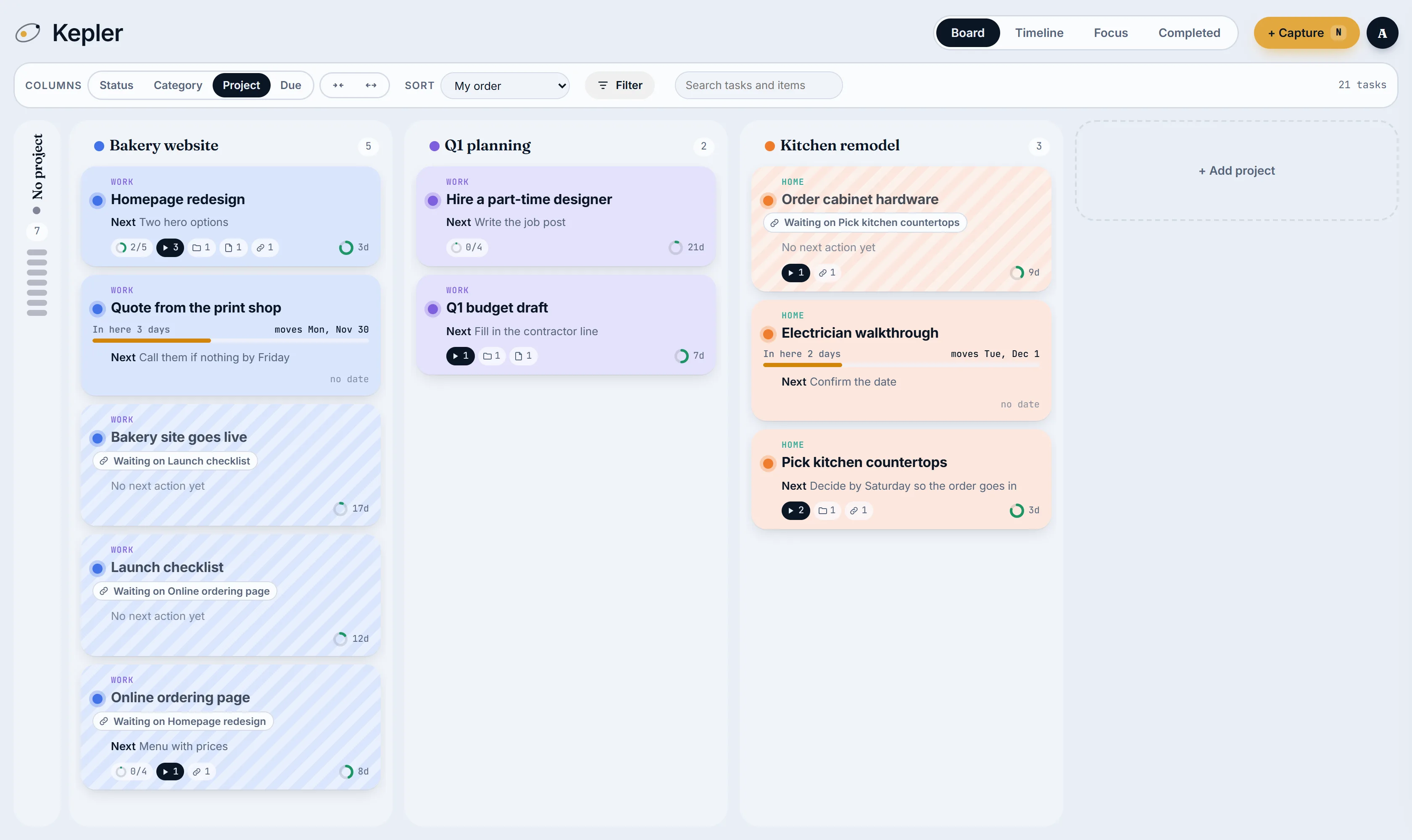
Board
Cards in columns, by status, category, project or due date. Drag them where they belong.
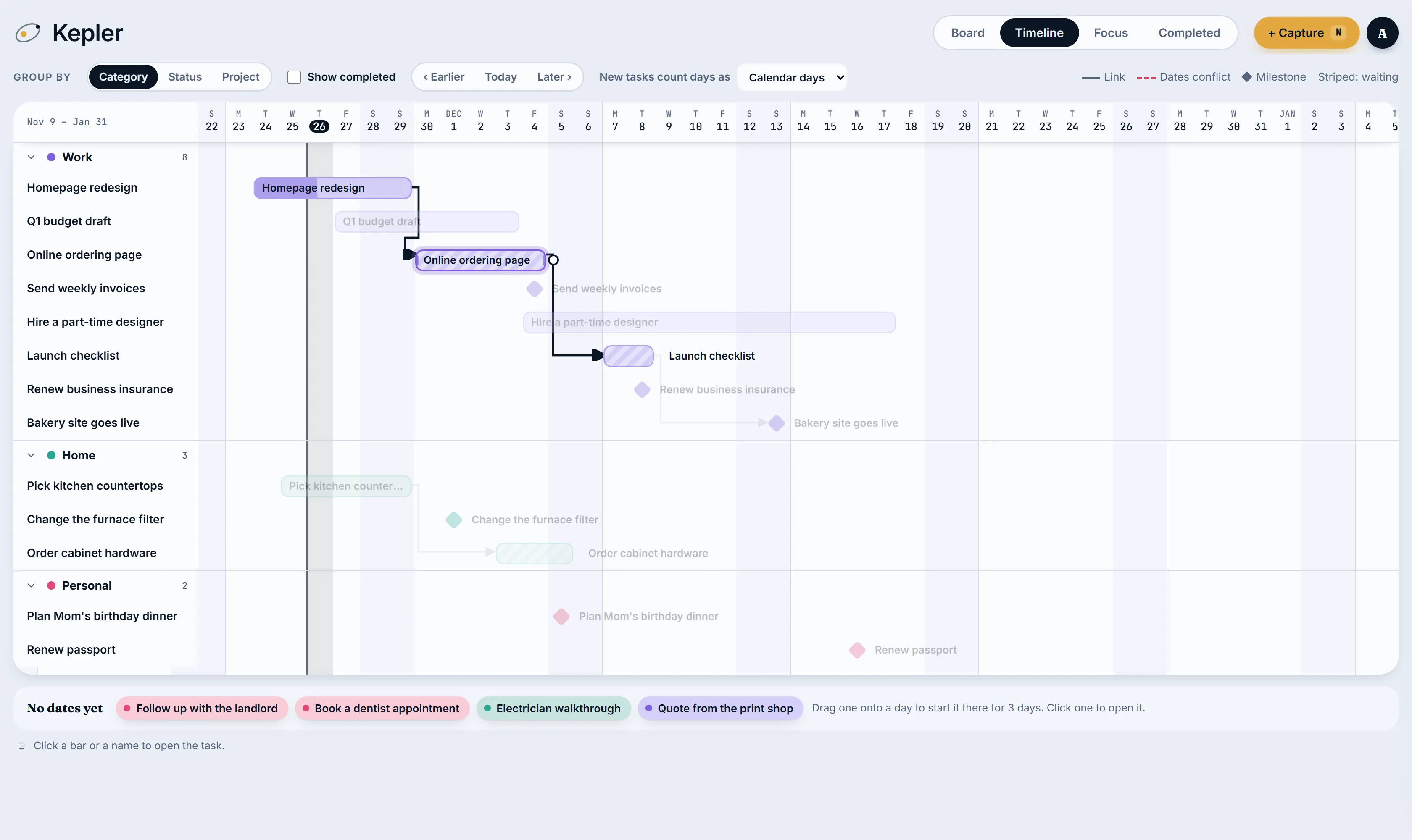
Timeline
Bars, milestones and the lines between them. Hover a task to see what it waits on.
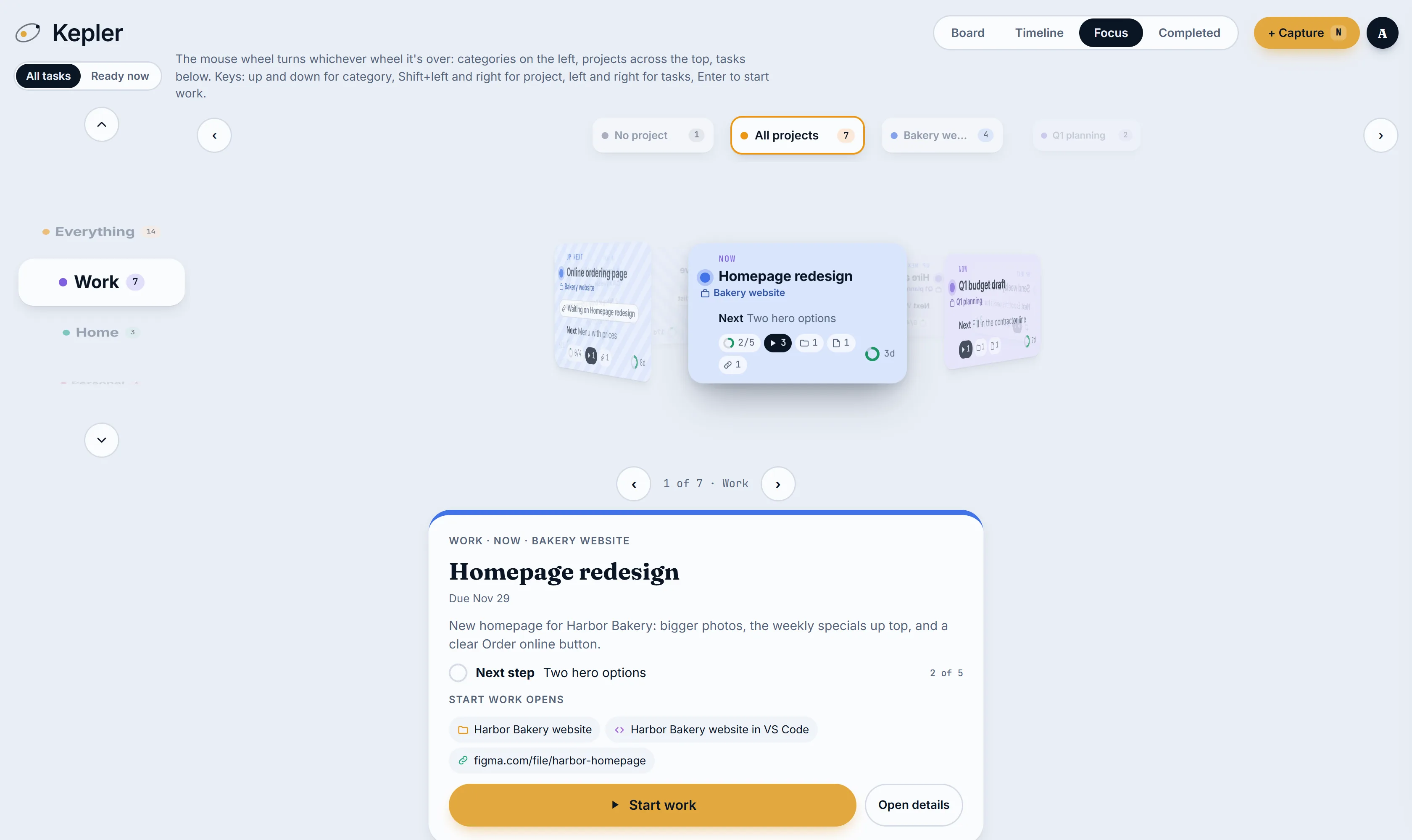
Focus
One task in the middle, its next step below. Press Enter to start work.
See only what matters today.
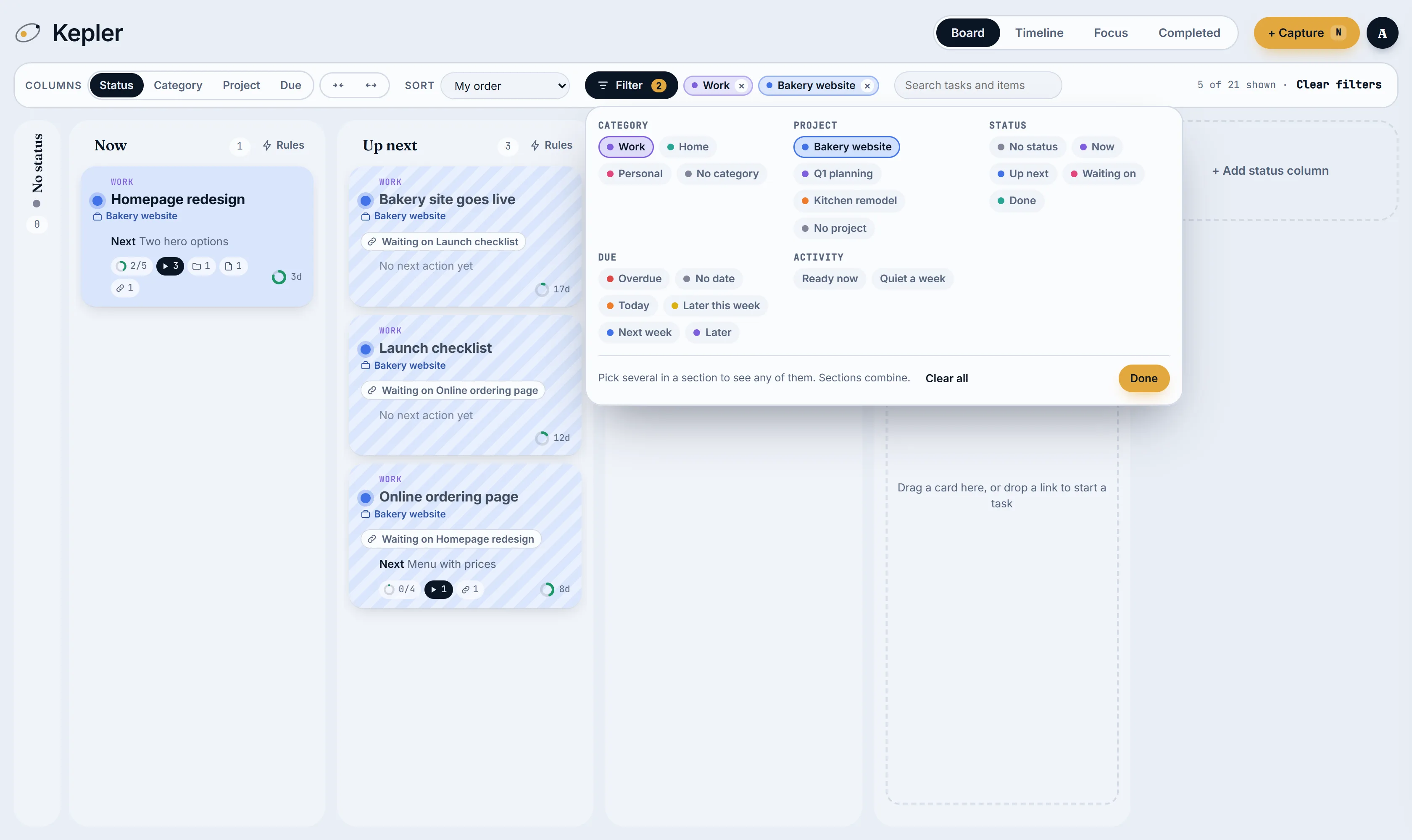
Filter to one client. Squeeze away the columns you don't need. Kepler Tracker remembers, until you clear it.
- One Filter button: Category, Project, Status, Due and Activity.
- Ready now hides tasks still waiting on something else.
- Filters follow you to every computer you sign in on.
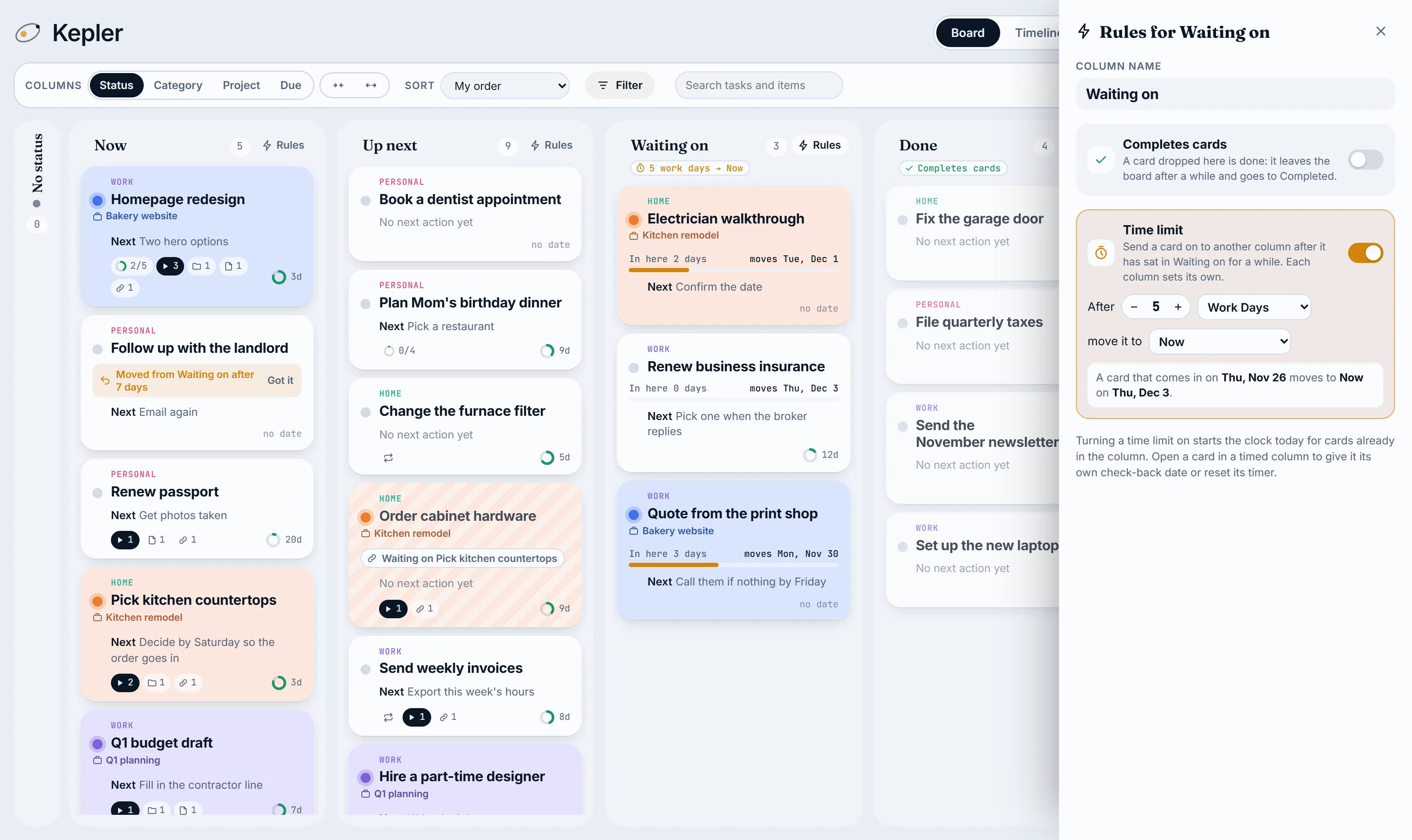
Columns that move cards along by themselves.
Put something in Waiting on when you're waiting for a reply. If nothing happens in a week, it comes back to Now on its own.
- Completes cards: anything dropped here is done.
- Time limit: after a set number of days, a card moves to the column you choose.
- Each card shows its own clock, and you can reset it.
Your files stay yours.
Kepler Tracker keeps track of where your files are. It doesn't take them.
Never uploaded
Kepler Tracker stores a file's location, not the file. Your documents stay in your folders, always the latest version.
Emails stay local
An email dragged out of Outlook is saved as a file on your own computer, not uploaded.
One private board
Every account has its own board. Nothing is shared between accounts. Only the task details you type are stored online.
One plan. Everything included.
No tiers, no features held back. Pricing is announced when Kepler Tracker opens.
See pricing